Q: How many monitors can this docking station support?
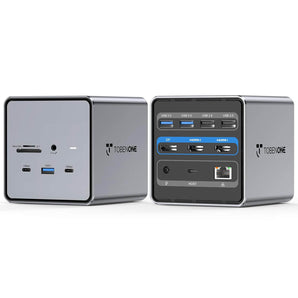
A: This DisplayLink docking station supports up to 4 external 4K monitors on Windows laptops, creating an efficient multi-screen workspace for productivity, content creation, and multitasking.
Q: Do I need to install DisplayLink drivers?
A: Yes. Please install the latest DisplayLink driver before using multiple monitors. After installation, restart your laptop and connect the dock.
Q: Is this docking station compatible with Thunderbolt and USB-C laptops?
A: Yes. It is compatible with laptops equipped with Thunderbolt 5/4/3, USB4, and full-featured USB-C ports. The USB-C port must support video output for external displays.
Q: What operating systems are supported?
A: This dock is compatible with Windows 10/11, macOS 10.15 and later, and ChromeOS 100 and later. DisplayLink driver installation is required for multi-monitor functionality.
Q: Does this dock include a power adapter?
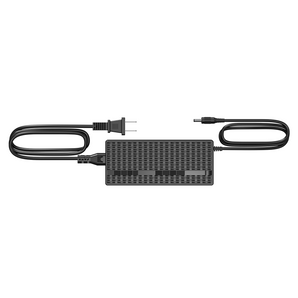
A: Yes. The package includes a 120W power adapter, providing up to 100W Power Delivery charging for compatible laptops and up to 18W charging for USB-C devices.
Q: What laptops are compatible with this docking station?
A: It works with many Thunderbolt and USB-C laptops, including Dell XPS, HP Spectre, Lenovo ThinkPad, Microsoft Surface, ASUS, Acer, LG, Samsung, and other compatible models.
Q: Why are my monitors not working after connecting the dock?
A: Please make sure:
- The DisplayLink driver is installed.
- HDMI cables are connected correctly.
- Your laptop’s USB-C/Thunderbolt port supports video output.
- Your system and drivers are up to date.