




UDS015D Docking Station Triple Monitor for M1/M2/M3 MacBook Pro/Air /USB C Windows Laptops
Couldn't load pickup availability
Description
-
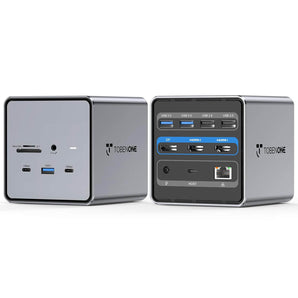
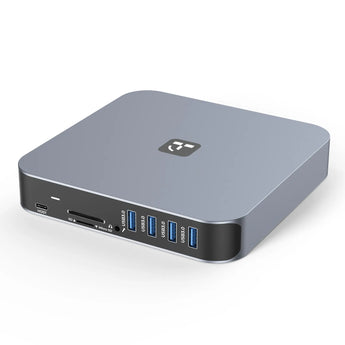
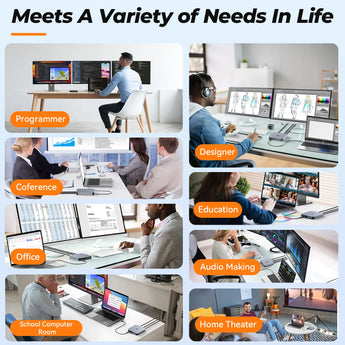
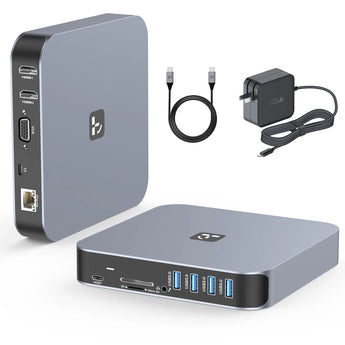
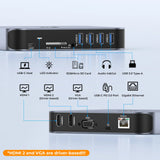
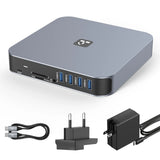
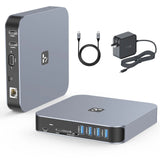
Laptop Docking Station Triple Monitor with 13 Ports: This universal laptop docking station is equipped with 2HDMI, VGA, 2x USB-C, 4x USB-A 3.0, Gigabit Ethernet Port, SD/TF card slot, 3.5mm Audio In & Out, and 60W power supply. Compared to other USB C dual monitor docking station, this usb c dock station for M1/M2/M3 MacBook is more powerful and stable with the ports of connectivity with enough ports and a unique appearance, which meets the daily needs of users.
-
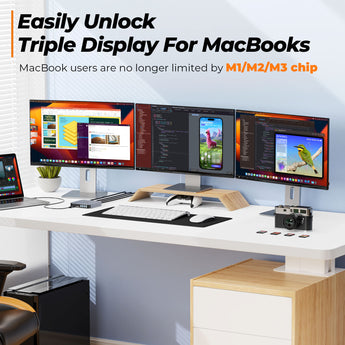
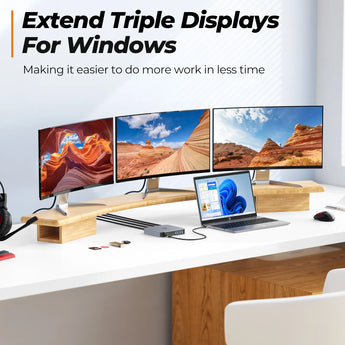
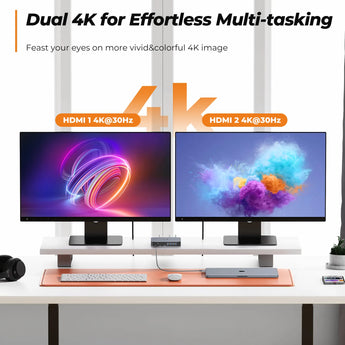
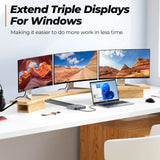
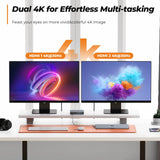
Supports Triple Displays or Dual 4K HDMI Monitors: On extend mode, this 3 monitor docking station supports Triple Monitors(dual 4K@30Hz monitors and one Full HD monitor) for macOS and Windows. Via HDMI 1 and HDMI 2, you could access dual 4K displays enjoying more crystal-clear streaming. You can expand your laptop's desktop to dual or triple displays at once to increase work and study productivity.
-
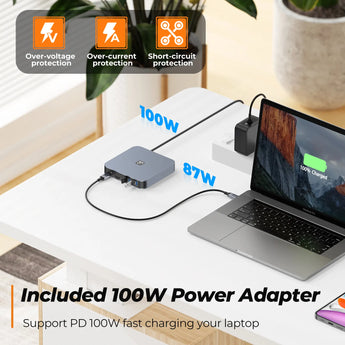
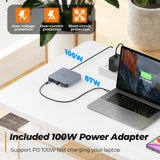
Versatile Power Options for Any Task: Choose the ideal power supply for your needs – our USB C dock offers both 65W and 100W options. Opt for the 65W power supply for stable usage and up to 57W charging, perfect for daily work and device charging. Alternatively, the powerful 100W adapter is a game-changer for those seeking rapid charging speeds and seamless multitasking, enhancing your overall workflow. Seamlessly switch between tasks, enjoy smoother workflows, and experience fewer interruptions throughout your busy day.
-
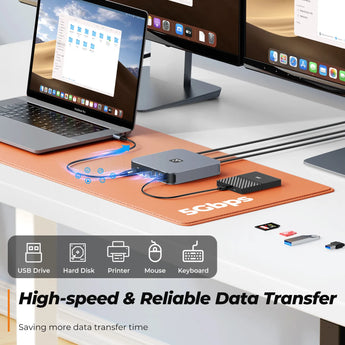
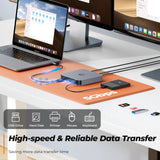
Connect More External Devices: TobenONE USB C triple display docking station for M2 MacBook Pro is equipped with 4 USB 3.0(5 Gbps) ports connecting your external USB devices such as hard drives, printers, scanners, etc. SD/TF card reader can read and write at the same time. It's great for the transfer of files from SD/TF cards. For bloggers, and media professionals, the SD/TF slots are essential.
-
Widely Compatible with macOS & Windows: This USB C docking station with power is compatible with Windows or macOS which equip with a full-featured Type C port or thunderbolt 3/4 port. Such as MacBook Pro/Air 2016-2023; Dell Latitude 5480, Dell XPS 15, HP Elitebook 800 G4, Lenovo Yoga 910, Surface Pro 7, etc. If your laptop only supports data transfer and power supply, you can only extend the dual monitor via HDMI 2 and VGA.
Compatibility
Please ensure your laptop with a full-function(support charging, data transfer, and video output) USB-C port or Thunderbolt 3 port. If not sure, please let me know.
Compatible Laptops(not a full list):
MacBook Air: Retina 13-inch 2018/2019 MacBook Air; 13" 2020 MacBook Air Retina; 13" 2020 MacBook Air M1; 13" 2022 MacBook Air M2; 15" 2023 MacBook Air M2
MacBook Pro: 13" 2016/2017/2018/2019 MacBook Pro; 13" 2020 MacBook Pro M1;13" 2022 MacBook Pro M2; 14" 2021 MacBook Pro M1 Pro; 14" 2021 MacBook Pro M1 Max; 15" 2016/2017/2018/2019 MacBook Pro; 16" 2021 MacBook Pro M1 Pro; 16" 2021 MacBook Pro M1 Max; 16" 2023 MacBook Pro M2 Pro/M2 Max; 14" 2023 MacBook Pro M2 Pro/M2 Max; 16" 2023 MacBook Pro M3 Pro/M3 Max; 14" 2023 MacBook Pro M3 Pro/M3 Max; 14" 2023 MacBook Pro M3; 16" 2024 MacBook Pro M4 Pro/M4 Max; 14" 2024 MacBook Pro M4 Pro/M4 Max; 14" 2024 MacBook Pro M4
Dell:
Dell New XPS 15 i7 64GB 2TB SSD/XPS 15 9570 (Intel 8th Gen CPU)/9550/ 9560; Dell XPS 13 9380/ 9370/ 9365/ 9360/ 9350/ 9300/ 7390 2-in-1/ 7390; Dell XPS 12 2-in-1 9250; Dell Precision 7750/7730/7720/7520/7510/5590/5510; Dell Latitude 7280/5580/5490/5480/5290/5285; Dell Latitude E7490/E7480/ E7470/E7370/13 E7370L/13 7000; Latitude 5310 2-in-1/Latitude 14 2-in-1 3400; Dell Alienware 15 R3/G7 15 Gaming 7588/G5 15 Gaming 5587/13 R3; Inspiron 15 2-in-1 7569/13 2-in-1 7389/13 2-in-1 7378
HP:
HP Specter x369/Spectre x360 13t/15/15t; Spectre Laptop 13-af001TU/Spectre Folio (13t-ak000cto); Elitebook x360 1030 G3/Elitebook 840 G5 series/Elitebook 830 G6/ 2018 HP Elitebook 800 G4/ Elitebook 745 G6/Elitebook X2; Envy Geforce mx250/ Envy x360 Laptop (15z-ds100)/ENVY 13 (13-ad000,13-ad100) Series; Zbook 17 G4/Zbook 16 G6/Z book 15u G3/Zbook studio z5; HP Probook 440 G7/ ProBook 450 G7; HP Chromebook-14-db0030nr/HP Chromebook 14A G5
Lenovo:
Lenovo Thinkpad T590/Lenovo ThinkPad L480/Lenovo Yoga 940-14IIL / Yoga 930/ Yoga 920/ Yoga 910/ Yoga 900-13ISK/ Yoga 730/ Yoga 720-13IKB/ Lenovo Yoga 720/ Yoga 370/ 3rd generation Thinkpad Yoga/ Yoga C930 / Yoga c940/ Yoga C740-15IML/ Yoga 7i / Yoga15 Ultrabook Pro ; Thinkpad T490/ Thinkpad T490s/ Thinkpad T470/ Thinkpad T470s/ Thinkpad P72/ Thinkpad X1 Carbon (2019 model) / Thinkpad Carbon X1 Gen6/ ThinkPad X1 Extreme
Asus:
Ling Yao 3/ Ling Yao 3PRO/ Ling Yao X Series/ 13'' Zenbook/ UX330UA; Zenbook ux434f/ Zenbook flip ux370u/ ZenBook Flip 14 UX461UN-DS74T/ TUF Gaming A15 Gaming Laptop/ Zephyrus G14/ Rog GX501
Surface:
Surface Pro 7/Surface Laptop 4 / Surface Laptop 3/ Surface Book 2/ Surface Go/ Surface Pro X
Acer:
Acer Aspire 5 2019/D17w3 Aspire c24-865/Swift 1 laptop/Swift 7 sf714-52t-75r6 laptop
Specifications
MODEL NUMBER: UDS015D
COLOR: Grey
DRIVERS
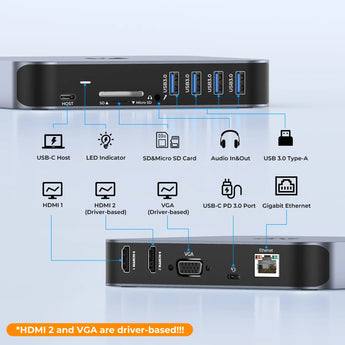
HDMI 1 is plug and play, HDMI 2 and VGA are driver-based.
FEATURES
Front:
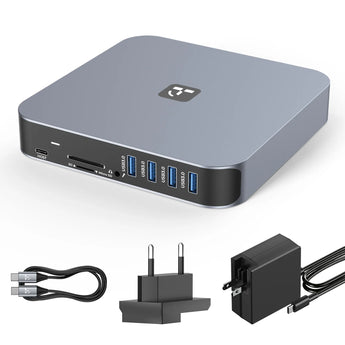
1 x USB-C: Connect to host
1 x LED indicator
1 x SD&Micro SD Card Reader: Read: 50-104MB/s, Write: 30-80MB/s
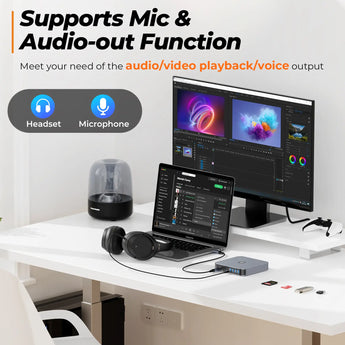
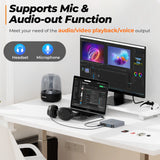
1 x Audio In&Out: Connect headphones and microphone
4 x USB3.0 Type-A: Ultra-fast connect devices up to 5 Gbps
Back:
1 x HDMI 1:
4Kx2K 60Hz / 3840x2160 (work separately while the source is DP1.4)
4Kx2K 30Hz / 3840x2160 (work separately while the source is DP1.2)
1 x HDMI 2 (driver-based) : 4K x 2K @30Hz
1 x VGA (driver-based) : Up to 1080P 60Hz
1 x USB-C PD3.0: Connect to the power supply.
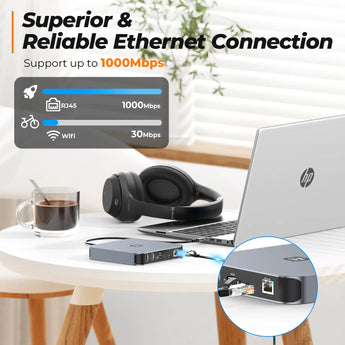
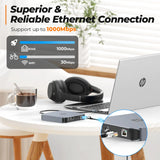
1 x Gigabit Ethernet: Max support Gigabit 1000 Mbps
DIMENSIONS & WEIGHT
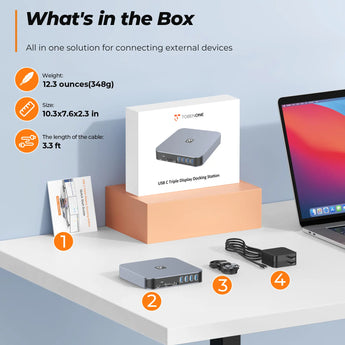
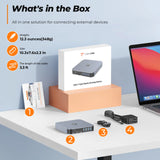
10.31 x 7.76 x 2.32 inches, 12.3 ounces
QUICK GUIDE
PACKAGE INCLUDES
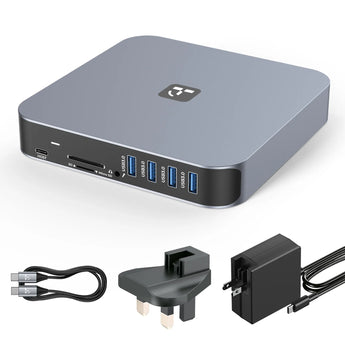
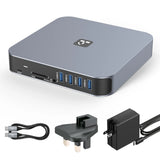
UDS015D docking station
3.3ft USB-C cable
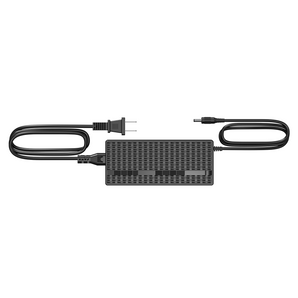
power supply (65W/100W optional)
GUARANTEE
2 Year Warranty
Help & Setup
If you have any questions, please let us know via support@tobenone.com.
1. How to Troubleshoot “macOS InstantVIew.app” is damaged issue
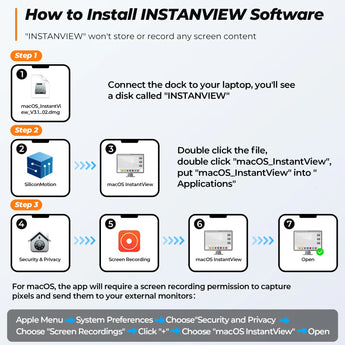
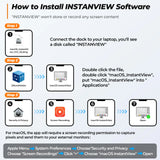
2. UDS15D is a driver-based docking station. HDMI1 is plug and play, HDMI2 and VGA are driver-based. If HDMI 2 and VGA port cannot work, please follow the below instruction to install initiate InstantView to display:
1> Firstly, connect the docking station to the laptop via USB C cable, and you will see a disk named "INSTANTVIEW"
2> Double click and open the file, according to your system choose the proper application and complete the driver installation within seconds
3> For macOS, the app will require a screen recording permission to capture pixels and send them to your external monitors: Apple Menu-->System Preference--> Security&Privacy->select "Privacy" tab->Scoll to find" Screen Recording" and check "macOS InstantView"
NOTE: The INSTANVIEW app doesn't store or record any screen content.
3. If you cannot find the disk named "INSTANTVIEW", you can download it from the below steps:
Step 1: Search “SM76x Driver Download” on Chrome (such as Google)
Step 2: Click "SM76x Driver Download - Silicon Motion"
Step 3: Choose a properly operating system according to your laptop
Step 4: Click the “download” and install
Step 5: Please drag macOS/Windows/Android InstantView to the applications folder and run it from the applications folder
4. If HDMI 1 port has no video output when using this triple display USB C docking station:
1>Please make sure your MacBook or Windows laptop's USB C port support video output and use the standard cable(HDMI to HDMI/DP/VGA cable and VGA to VGA/HDMI/DP cable).
2>Please check the connection is correct. You can follow the below step to have a try to check whether can work or not: Please remove all cables--reboot your laptop--attach the USB C cable to the dock and the laptop--attach the power supply to the PD port--attach others devices to the dock such as the monitor.
Shipping & Returns
30-Day Returns • 2-Year Warranty • Free US Shipping