




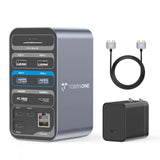
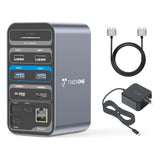
TobenONE UDS013 15 in 2 USB C Docking Station Dual Monitor HDMI for MacBook Pro/Air
Verfügbarkeit für Abholungen konnte nicht geladen werden
Description
-
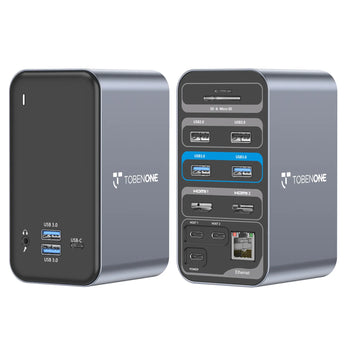
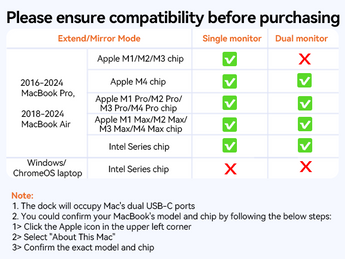
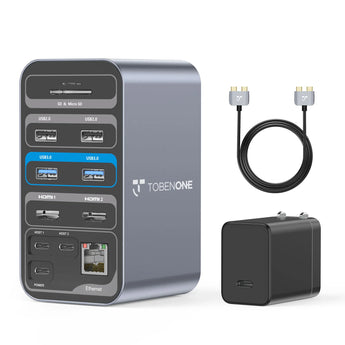
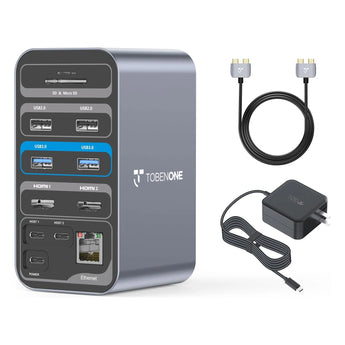
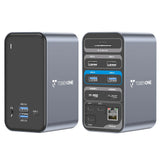
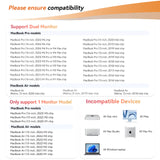
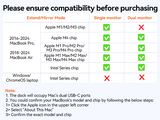
15-IN-2 Expansion & Compatibility: TOBENONE MacBook Pro docking station expands to 2x 4K@30Hz|60Hz HDMI, 4x USB 3.0, 1x USB-C, USB C PD 3.0, 2x USB 2.0 for wireless device, 3.5mm Audio/Mic, SD/TF and Gigabit Ethernet. Plug and play, NO driver needed. Exclusive design for MacBook Air 13'' (2018-2020, Intel chip); MacBook Pro 13'' (2016-2020, Intel chip), 14" (2021, 2023), 15" (2016-2019), 16" (2019, 2021, 2023), NOTE: M1/M2/M3 chip only can get 1 external monitor. Not compatible with Windows laptop.
-
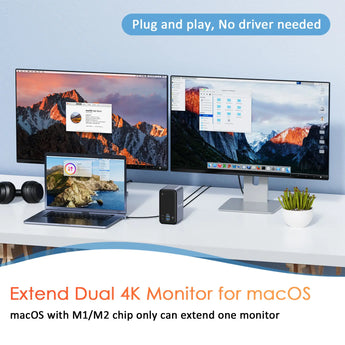
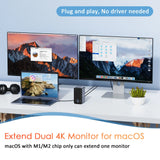
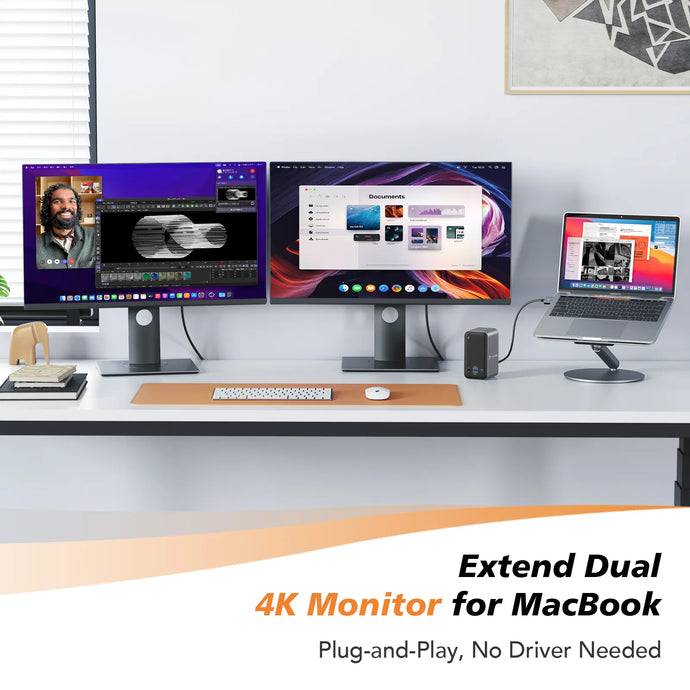
Versatile Dual 4K Extend Monitor: Tobenone USB C dual monitor laptop docking station offers a choice to add 2 external monitors via HDMI ports, and easily drive two 4K@60Hz/4K@30Hz in extend mode, which means you can have 3 screens(included laptop) with different content at a time!
-
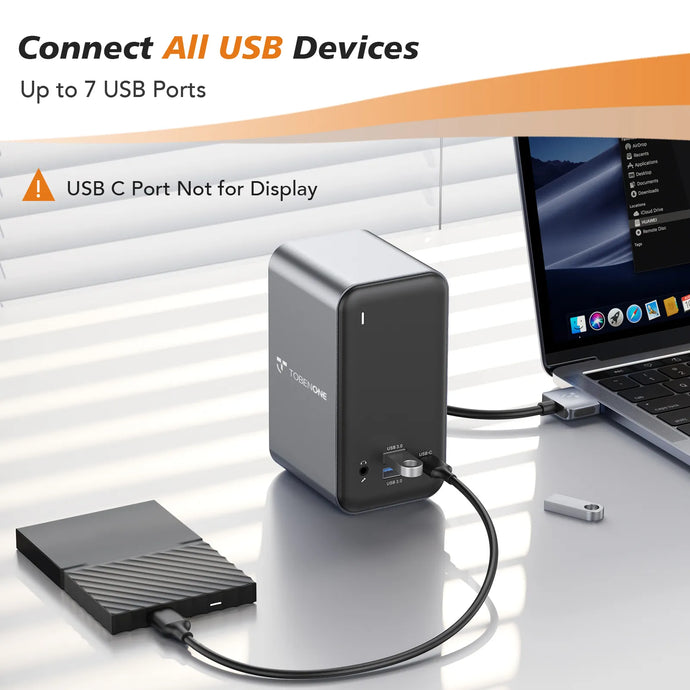
Super-Speed Data Transmission: The USB C Laptop Dual Monitor MacBook Pro docking station is equipped with 4 USB 3.0 ports and one USB C port support transmission speed up to 5 Gbps, allowing you to access your files in seconds and simultaneously read SD and TF memory card. The MacBook Pro Adapter also offers 2 USB 2.0 ports to connect your wireless keyboard and mouse without any lag.
-
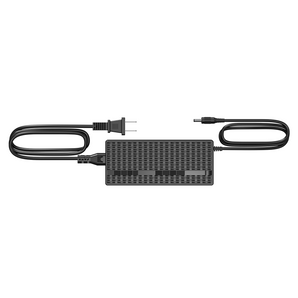
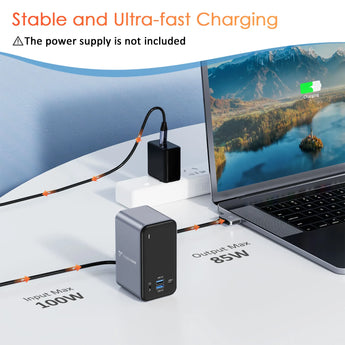
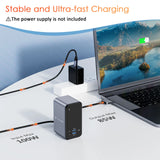
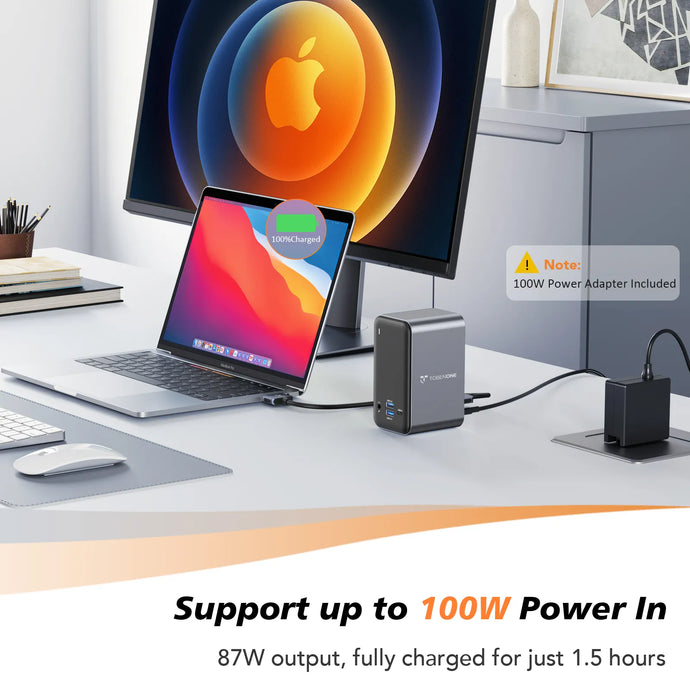
Power Up with Flexibility: Our MacBook Pro docking station grants you the freedom to choose your ideal power solution from three available options: No Power Supply, With a 65W Power Supply, or the potent 100W GaN Power Supply. The dock support power delivery max 100W, and safe power out is rated at 87W. Connect our 100W power adapter to the dock's PD port, which allows you worry-free about power storage while connecting multiple peripherals. Keep your Apple charger tucked away, as our dock station ensures your MacBook is always ready for action.
-
Stable & Reliable Wired Ethernet: Tobenone USB C dual monitor MacBook Pro dock offers an RJ45 Gigabit Ethernet port, supports up to 1Gbps and auto adapts 10/100/1000Mbps, easily streaming movies, downloading large files, or playing games.
Compatibility
Compatibility:
Retina 13 inch 2018/2019/2020 MacBook Air Intel Chip
13 inch 2016/2017/2018/2019/2020 MacBook Pro Intel Chip
14 inch 2021 MacBook Pro M1 Pro or M1 Max; 2023 MacBook Pro M2 Pro or M2 Max; 2023 MacBook Pro M3 Pro or M3 Max; 2024 MacBook Pro M4, M4 Pro or M4 Max chip
15 inch 2016/2017/2018/2019 MacBook Pro Intel Chip
16 inch 2021 MacBook Pro M1 Pro or M1 Max; 2023 MacBook Pro M2 Pro or M2 Max; 2023 MacBook Pro M3 Pro or M3 Max; 2024 MacBook Pro M4, or M4 Pro, or M4 Max chip
NOTE:
1> M1/M2/M3 Mac Users Only can get one external monitor:
MacBook Pro (14-inch, M3, 2023); MacBook Pro (13-inch, M2, 2022); MacBook Pro (13-inch, M1, 2020);
MacBook Air (15-inch, M3, 2024); MacBook Air (13-inch, M3, 2024); MacBook Air (15-inch, M2, 2023); MacBook Air (M2, 2022); MacBook Air (M1, 2020)
2> This MacBook docking station dual monitor HDMI is not compatible with all Windows&ChromeOS laptops.
Specifications
15-in-2 Expansion Docking Station
Dual HDMI (up to 4K@60Hz / 4K@30Hz)
USB 5Gbps (USB-A & USB-C)
SD / TF Card Reader
Gigabit Ethernet
3.5mm Audio / Mic
100W Power Delivery (87W safe output)
65W / 100W GaN charger support
USB-C data only (no video output)
Help & Setup
1. Connect all cables, but can not work. What should I do?
1>Please attach the power adapter to the dock's PD port.
2>Please try other HDMI cables to connect the monitors, so we can know if there is any defective cable
3> Unplug the dock and replug it into the left side ports of your MacBook Pro.
2. What to do if the second screen is not bright?
1>Please attach the power supply to the PD port so all devices can run more stable
2>Please ensure the connection is correct and all cables connect firmly.
3. How to set up dual monitors for MacBook Pro/Air?
1>Please ensure your laptop is MacBook Pro 2016-2021 MacBook Air 2018-2021(NOT M1/M2 chip)
2>Please attach the charger to the dock's PD port
3>Attach the dual USB C cable to the dock and the MacBook
4>Add external devices, such as mouse, monitor, etc
Shipping & Returns
30-Day Returns • 2-Year Warranty • Free US Shipping
15-In-2 USB C Docking Station
Transfer Files in Seconds
Transfer Files in SecondsPowerful Charging
Frequently Asked Questions
Find answers to the most common questions about compatibility, setup, displays, and daily use.
Explore All FAQs →
Can UDS013 support dual monitors on MacBook?
Yes. UDS013 supports dual external displays for compatible MacBook Pro and MacBook Air models. Display support may vary depending on your MacBook model and macOS version.
Which MacBook models are compatible with UDS013?
UDS013 is compatible with MacBook Pro and MacBook Air models with two USB-C ports on the same side. Please check your MacBook model before purchase.
Why is my second monitor not displaying?
Make sure the dock, HDMI cables, and monitors are properly connected. Reconnect the dock and check your display settings.
Does UDS013 require drivers?
No. UDS013 is plug and play and does not require additional drivers.
Can UDS013 charge my MacBook?
Yes. UDS013 supports USB-C Power Delivery when connected to a compatible charger. Charger is not included.
Need more help?
Visit our Download Center for drivers, setup guides, and troubleshooting, or contact our support team at support@tobenone.com.