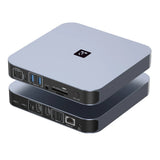
UDS015M Docking Station Dual Monitor for MacBook Pro/Air M5/M4/M3/M2/M1 Pro/Max
-
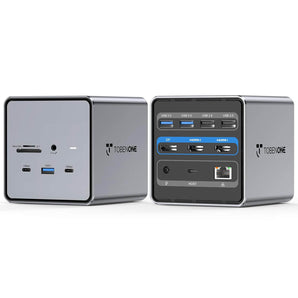
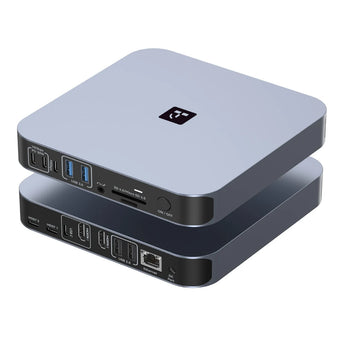
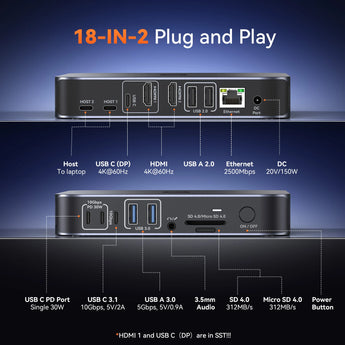
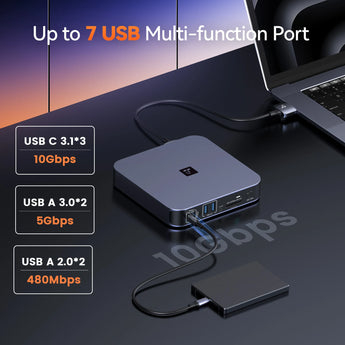
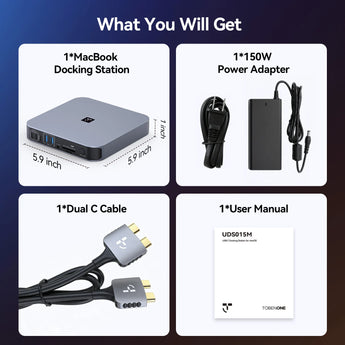
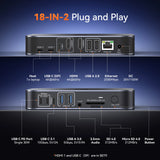
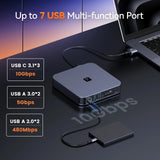
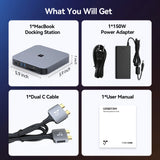
𝟏𝟖-𝐢𝐧-𝟏 𝐀𝐥𝐥-𝐢𝐧-𝐎𝐧𝐞 𝐋𝐚𝐩𝐭𝐨𝐩 𝐃𝐨𝐜𝐤𝐢𝐧𝐠 𝐒𝐭𝐚𝐭𝐢𝐨𝐧: This dual monitor docking station is made just for MacBook users—perfect for office pros and remote workers who hate juggling multiple adapters! It’s packed with everything you need: 2 HDMI, 4K USB-C video port, 150W DC power, 7 USB C/A ports (up to 10Gbps for fast file transfers), PD 30W, 2.5G Ethernet, and SD/TF 4.0 card slot. Connect your external monitors, high-speed SSD, printer, and mouse all at once—cut the cable clutter and keep your home office or desk neat and organized.
-
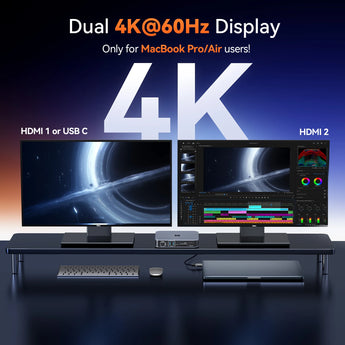
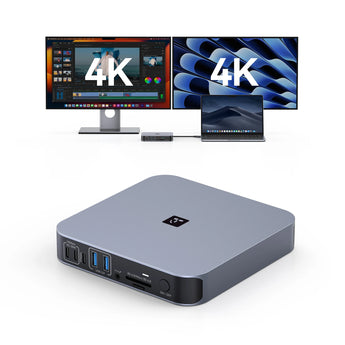
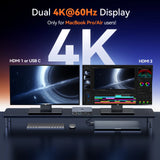
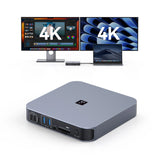
𝐏𝐥𝐮𝐠 𝐚𝐧𝐝 𝐏𝐥𝐚𝐲 & 𝐃𝐮𝐚𝐥 𝟒𝐊@𝟔𝟎𝐇𝐳 𝐔𝐥𝐭𝐫𝐚-𝐂𝐥𝐞𝐚𝐫 𝐃𝐢𝐬𝐩𝐥𝐚𝐲: No complicated setup! This MacBook docking station can set up dual external monitors easily by choosing either HDMI or the USB-C video port. Enjoy crisp, smooth dual 4K@60Hz resolution (DP1.4) that’s perfect for splitting your screen between a spreadsheet and email during work, editing videos with precise color detail, or giving client presentations with stunning visuals. Finally, multitask without squinting at a tiny laptop screen!
-
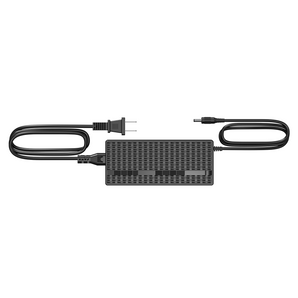
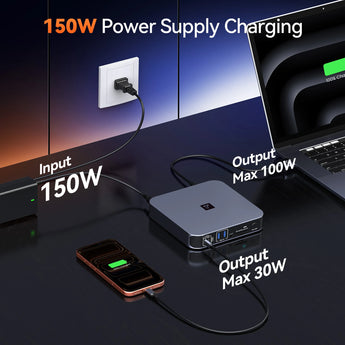
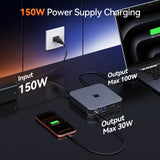
𝐏𝐨𝐰𝐞𝐫𝐟𝐮𝐥 𝟏𝟓𝟎𝐖 𝐃𝐞𝐥𝐢𝐯𝐞𝐫𝐲 & 𝐏𝐃 𝟑𝟎𝐖 𝐅𝐚𝐬𝐭 𝐂𝐡𝐚𝐫𝐠𝐢𝐧𝐠: Say goodbye to scrambling for chargers! The USB C docking station for MacBook included 150W adapter delivers up to 100W fast charging for your MacBook—so you can work all day without worrying about battery life. The 2 front USB-C 30W quick-charge ports are a lifesaver: top up your iPhone, iPad, or AirPods in a hurry before a meeting or while working. One dock powers all your essential devices—super flexible and convenient for busy days.
-
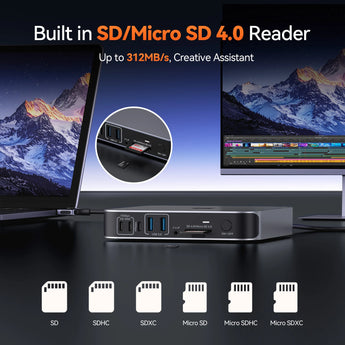
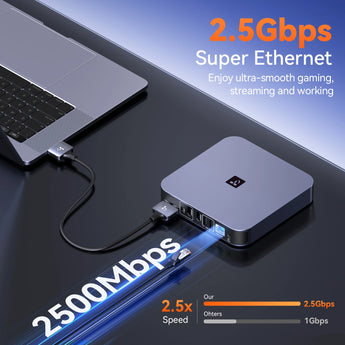
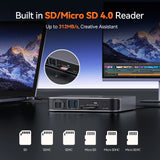
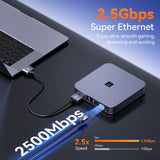
𝟐.𝟓𝐆𝐛𝐩𝐬 𝐄𝐭𝐡𝐞𝐫𝐧𝐞𝐭 & 𝟒.𝟎 𝐂𝐚𝐫𝐝 𝐑𝐞𝐚𝐝𝐢𝐧𝐠: Tired of laggy video calls or slow file transfers? The 2.5Gbps Ethernet port in this MacBook dock gives you stable, lightning-fast internet—ideal for remote work meetings, online gaming during breaks, or uploading large video files to the cloud. The upgraded SD 4.0 card reader is a boon for photographers and video editors. With speeds up to 312MB/s and simultaneous read/write support, raw photo transfer in seconds, drastically reducing data sync time
-
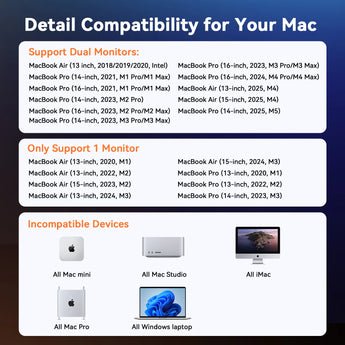
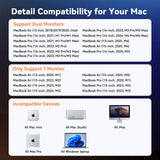
𝐄𝐱𝐜𝐥𝐮𝐬𝐢𝐯𝐞𝐥𝐲 𝐂𝐨𝐦𝐩𝐚𝐭𝐢𝐛𝐥𝐞 𝐰𝐢𝐭𝐡 𝐌𝐚𝐜𝐁𝐨𝐨𝐤: Works seamlessly with all your favorite MacBook models, including Intel-based MacBooks and those with Intel, M1 Pro/Max, M2 Pro/Max, M3 Pro/Max, M4, M4 Pro/Max, M5 chips. No need to guess if it’ll fit your device! Note: Not compatible with Windows laptops, Mac Studio, Mac mini, Mac Pro, or iMac. A quick heads-up for M1/M2/M3 chip Mac users: this dock only supports single-monitor extension (not dual) for your model.
Verfügbarkeit für Abholungen konnte nicht geladen werden
Compatibility
Compatibility:
Retina 13 inch 2018/2019/2020 MacBook Air Intel Chip
13 inch 2016/2017/2018/2019/2020 MacBook Pro Intel Chip
13 inch 2025 MacBook Air M4 Chip; 2026 MacBook Air M5 Chip;
14 inch 2021 MacBook Pro M1 Pro or M1 Max; 2023 MacBook Pro M2 Pro or M2 Max; 2023 MacBook Pro M3 Pro or M3 Max; 2024 MacBook Pro M4, M4 Pro or M4 Max; 2025 MacBook Pro M5 chip; 2026 MacBook Pro M5 Pro or M5 Max chip
15 inch 2016/2017/2018/2019 MacBook Pro Intel Chip
15 inch 2025 MacBook Air M4 Chip; 2026 MacBook Air M5 Chip;
16 inch 2021 MacBook Pro M1 Pro or M1 Max; 2023 MacBook Pro M2 Pro or M2 Max; 2023 MacBook Pro M3 Pro or M3 Max; 2024 MacBook Pro M4, or M4 Pro, or M4 Max chip; 2026 MacBook Pro M5 Pro or M5 Max chip
NOTE:
1> M1/M2/M3 MacBook and MacBook Neo Users Only can get one external monitor:
MacBook Pro (14-inch, M3, 2023); MacBook Pro (13-inch, M2, 2022); MacBook Pro (13-inch, M1, 2020);
MacBook Air (15-inch, M3, 2024); MacBook Air (13-inch, M3, 2024); MacBook Air (15-inch, M2, 2023); MacBook Air (M2, 2022); MacBook Air (M1, 2020)
13-inch 2026 MacBook Neo
2> This MacBook docking station is not compatible with all Windows&ChromeOS laptops.
Specifications
• Dual 4K Display (HDMI + USB-C)
• 150W Power Delivery (100W charging)
• USB up to 10Gbps
• 7× USB-A / USB-C Ports
• 2.5G Ethernet
• SD / microSD 4.0
• 3.5mm Audio
Shipping & Returns
30-Day Returns • 2-Year Warranty • Free US Shipping
Watch UDS015M in Action
See it in action.
Frequently Asked Questions
Find answers to the most common questions about compatibility, setup, displays, and daily use.
How many displays does it support?
Up to 2 external displays, depending on your Mac model.
Does it require Thunderbolt?
No. USB-C compatible with Thunderbolt MacBooks.
Is it plug and play?
Yes. macOS may require DisplayLink for extended display mode.
Can it charge my MacBook?
Yes. Up to 100W Power Delivery.
Is it compatible with Windows?
No. MacBook only
Need more help?
Visit our Download Center for drivers, setup guides, and troubleshooting, or contact our support team at support@tobenone.com.