F: Unterstützt der UDS040M zwei Monitore an einem MacBook?
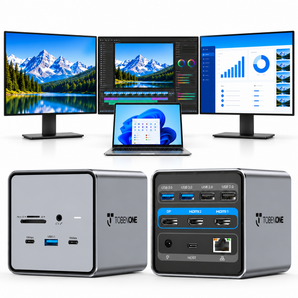
A: Ja. Der UDS040M unterstützt an kompatiblen MacBook-Modellen über HDMI und DisplayPort bis zu zwei externe Monitore mit 4K bei 60 Hz.
F: Welche MacBook-Modelle unterstützen mit dem UDS040M zwei Monitore?
A: Die Unterstützung von zwei Monitoren hängt vom MacBook-Chip ab. MacBooks mit Basis-M1-, M2- oder M3-Chips unterstützen einen externen Monitor, während kompatible Modelle mit Pro- oder Max-Chips bis zu zwei unterstützen.
F: Ist der UDS040M mit MacBook Air und MacBook Pro kompatibel?
A: Ja. Der UDS040M ist für kompatible MacBook-Air- und MacBook-Pro-Modelle konzipiert. Bitte prüfen Sie die Kompatibilitätsliste für Ihr spezifisches Modell und Ihren Chip.
F: Benötigt der UDS040M einen Treiber?
A: Nein. Der UDS040M nutzt den USB-C-DisplayPort-Alt-Modus und ist an kompatiblen MacBook-Modellen Plug-and-Play.
F: Enthält der UDS040M ein Netzteil?
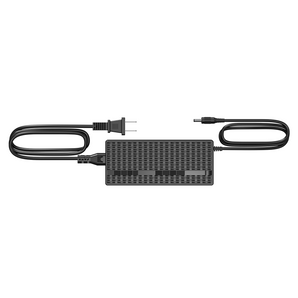
A: Ja. Er enthält ein 150-W-Netzteil und unterstützt bis zu 100 W USB-C-PD-Laden für Ihr MacBook.
F: Kann ich den UDS040M mit Windows- oder ChromeOS-Laptops verwenden?
A: Nein. Der UDS040M ist speziell für kompatible MacBook-Modelle konzipiert und nicht mit Windows- oder ChromeOS-Laptops kompatibel.