
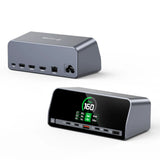
UDS051 TobenONE Docking Station 13-in-1 Laptop Docking Station Dual 4K Monitor with HDMI
Couldn't load pickup availability
Description
-
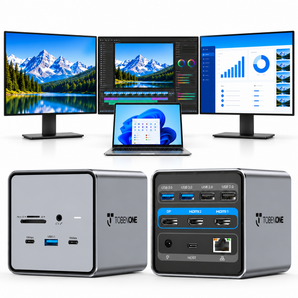
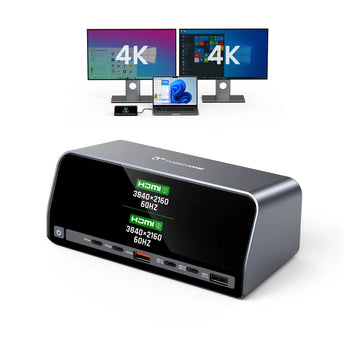
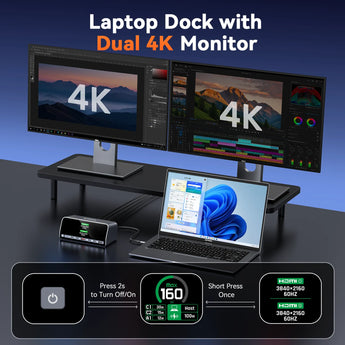
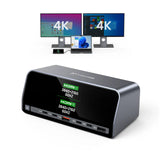
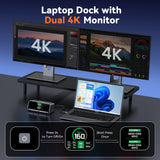
Immersive Dual 4K Display for Work & Entertainment: This USB C docking station dual monitor is capable of delivering crystal-clear dual 4K@60Hz visuals via two HDMI ports. Used as a multi-screen solution for designers, gamers, or office workers, it lets you instantly monitor resolution/refresh rate via a dedicated button—used to achieve seamless, sharp displays for work or play
-
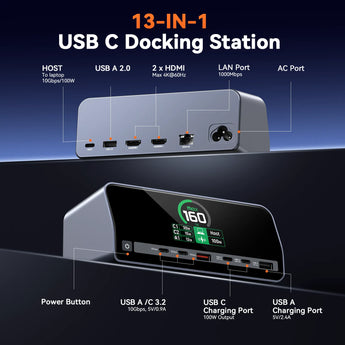
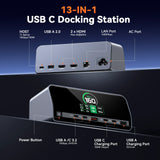
13-IN-1 Power Solution for Multi-Device Users: This laptop docking station is equipped with 2 HDMI ports, 2 USB C port and USB-A ports up to 10Gbps, USB-A 2.0 port for additional connectivity, Max Output 160W 3 USB-C and 1 USB-A PD port, Gigabit Ethernet, AC Port and Button press. Used to charge laptops, tablets, and phones simultaneously, no bulky power adapters needed! Perfect for remote workers, students, or anyone juggling multiple gadgets, solving the hassle of scattered chargers
-
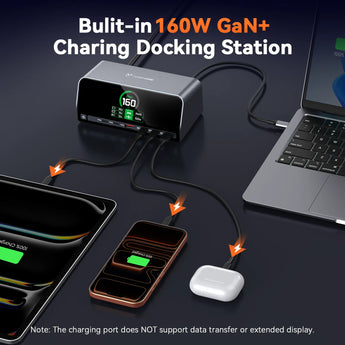
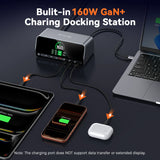
160W GaN+ Smart Power Distribution: This laptop charging docking station is powered by GaN+ technology, delivers 160W total power with USB A/C PD 3.0 (100W max). The intelligent power system is capable of balancing power across 4 devices automatically. Used for stable, efficient charging in home workstations, shared office setups, or business travel. It’s ideal for professionals, frequent travelers, or families sharing devices, eliminating worries about uneven power allocation
-
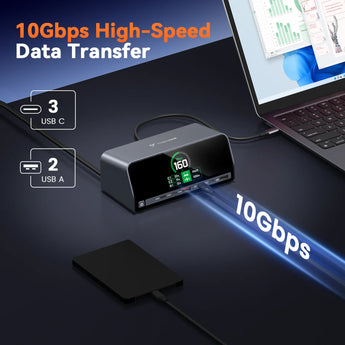
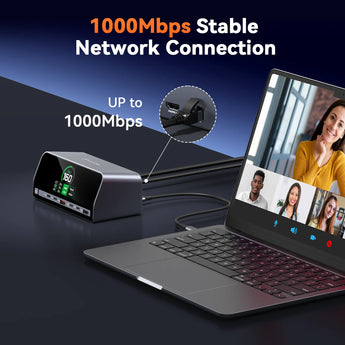
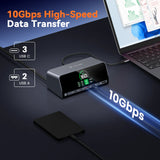
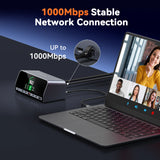
10Gbps Transmission for Productivity Boost: The laptop docking station stand equipped with 10Gbps USB C/A ports and 1000Mbps Gigabit Ethernet, works with keyboards, mice, and routers. Used to enable lag-free video calls, fast file transfers, or online gaming, which is perfect for remote workers, gamers, or content creators—solving slow connectivity frustrations
-
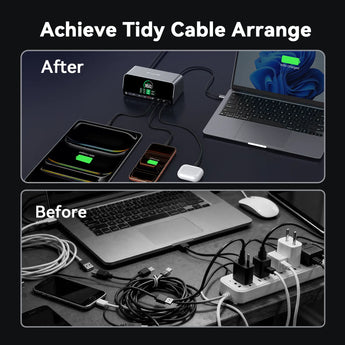
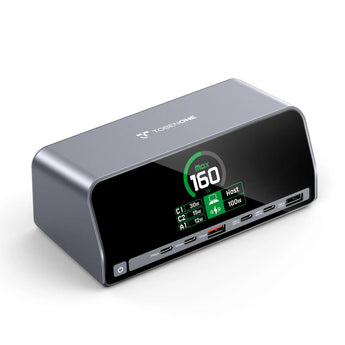
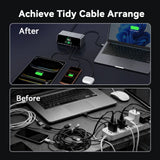
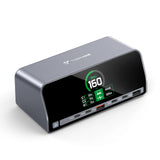
Real-Time Monitoring & Space-Saving Design: Capable of real-time tracking of individual device charging status and total power consumption via an integrated display, this USB C charging dock used as a space-saving organizer for desks. Its compact, elegant build used to declutter workspaces while delivering pro-grade performance, ideal for minimalists, office workers, or home users who want a tidy setup
-
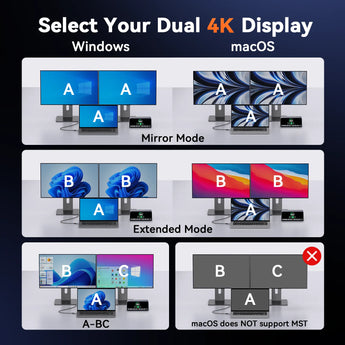
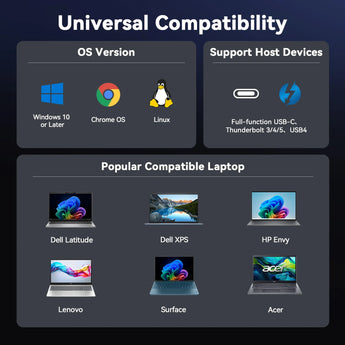
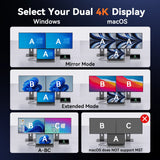
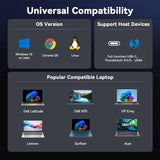
Wide Compatibility for All Your Devices: This USB C docking station works with full-function USB-C, USB4, and Thunderbolt 4/3, and is compatible with Windows 10/11, ChromeOS, Linux, and macOS (*NOTE: macOS shows dual identical external displays). Used on laptops with DP Alt Mode and Power Delivery. It’s a versatile choice for Windows users—great as a gift for tech lovers, professionals, or students
Compatibility
IMPORTANT NOTE: Please confirm your Windows laptop with a full-functional USB-C port( support display, data transfer, charging)
Supports full-featured USB-C, USB4, and Thunderbolt 3 / Thunderbolt 4 / Thunderbolt 5 systems running Windows 10 / 11 & ChromeOS 100 or newer including, HP ProBook / EliteBook / Spectre x360 series, Dell XPS / Latitude / Inspiron series, Lenovo ThinkPad / IdeaPad / Yoga , Microsoft Surface Pro / Go / Book / Laptop models, LG Gram, Thousands of other laptops which are compliant with full-featured, standards-compliant USB-C ports
Compatible including but not limited to:
For Dell: Dell New XPS 15 i7 64GB 2TB SSD/XPS 15 9570 (Intel 8th Gen CPU)/9550/ 9560; Dell XPS 13 9380/ 9370/ 9365/ 9360/ 9350/ 9300/ 7390 2-in-1/ 7390; Dell XPS 12 2-in-1 9250; Dell Precision 7750/7730/7720/7520/7510/5590/5510; Dell Latitude 7280/5580/5490/5480/5290/5285; Dell Latitude E7490/E7480/ E7470/E7370/13 E7370L/13 7000; Latitude 5310 2-in-1/Latitude 14 2-in-1 3400; Dell Alienware 15 R3/G7 15 Gaming 7588/G5 15 Gaming 5587/13 R3; Inspiron 15 2-in-1 7569/13 2-in-1 7389/13 2-in-1 7378
For HP: HP Specter x369/Spectre x360 13t/15/15t; Spectre Laptop 13-af001TU/Spectre Folio (13t-ak000cto); Elitebook x360 1030 G3/Elitebook 840 G5 series/Elitebook 830 G6/ 2018 HP Elitebook 800 G4/ Elitebook 745 G6/Elitebook X2; Envy Geforce mx250/ Envy x360 Laptop (15z-ds100)/ENVY 13 (13-ad000,13-ad100) Series; Zbook 17 G4/Zbook 16 G6/Z book 15u G3/Zbook studio z5; HP Probook 440 G7/ ProBook 450 G7; HP Chromebook-14-db0030nr/HP Chromebook 14A G5
For Lenovo: Lenovo Thinkpad T590/Lenovo ThinkPad L480/Lenovo Yoga 940-14IIL / Yoga 930/ Yoga 920/ Yoga 910/ Yoga 900-13ISK/ Yoga 730/ Yoga 720-13IKB/ Lenovo Yoga 720/ Yoga 370/ 3rd generation Thinkpad Yoga/ Yoga C930 / Yoga c940/ Yoga C740-15IML/ Yoga 7i / Yoga15 Ultrabook Pro ; Thinkpad T490/ Thinkpad T490s/ Thinkpad T470/ Thinkpad T470s/ Thinkpad P72/ Thinkpad X1 Carbon (2019 model) / Thinkpad Carbon X1 Gen6/ ThinkPad X1 Extreme
For Asus: Ling Yao 3/ Ling Yao 3PRO/ Ling Yao X Series/ 13'' Zenbook/ UX330UA; Zenbook ux434f/ Zenbook flip ux370u/ ZenBook Flip 14 UX461UN-DS74T/ TUF Gaming A15 Gaming Laptop/ Zephyrus G14/ Rog GX501
For Surface: Surface Pro 97/ Surface Pro 8/ Surface Pro 7/ Surface Laptop 4/ Surface Laptop 3/ Surface Book 2/ Surface Go/ Surface Pro X
For Acer: Acer Aspire 5 2019/D17w3 Aspire c24-865/Swift 1 laptop/Swift 7 sf714-52t-75r6 laptop
Specifications
MODEL NUMBER: UDS051
DRIVERS
Plug and play, no driver needed.
FEATURES
Front:
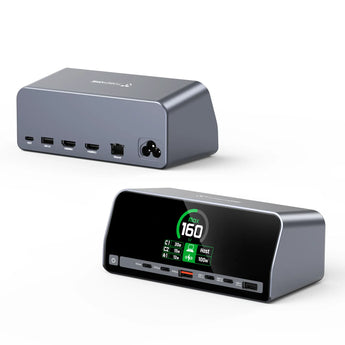
1 x Power Button: Click this button to switch the screen display content.
Press and hold this button for 2 seconds to turn the producton or off.
2 x USB C 3.2: Support 10Gbps data transfer, maximum power
output 5V/0.9A
1 x USB A 3.2: Support 10Gbps data transfer, maximum power
output 5V/0.9A
2 x USB C Charging Port: Maximum power of 100W, no data transfer
1 x USB A Charging Port: Maximum power of 5V/2.4A, no data transfer
When connecting the HOST to the laptop, the actual charging
power is as follows: HOST (100W) + USB-C1 port (30W) + USB-C2
port (15W) + USB-A charging port (12W)
Back:
1 x HOST Port: Connect to the laptop
1 x USB A 2.0: Support data transfer 480Mbps, maximum power output
1 x HDMI1 Port: resolution up to 4K@60Hz for single display
1 x HDMI2 Port: resolution up to 4K@60Hz for single display
1 x LAN Port: 1000M/100M/10Mbps
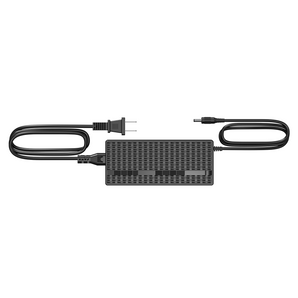
1 x AC Port: Connect to the power cable
DIMENSIONS & WEIGHT
11.81 x 3.14 x 0.86 inches, 1.76 pounds
QUICK GUIDE
PACKAGE INCLUDES
1 x UDS051 docking station
1 x USB C cable (80 cm)
1 x AC cable (140 cm)
1 x user manual
GUARANTEE
2 Year Warranty
Help & Setup
If you have any questions, please let us know via support@tobenone.com
Shipping & Returns
30-Day Returns • 2-Year Warranty • Free US Shipping